Customizing a Number Using Features
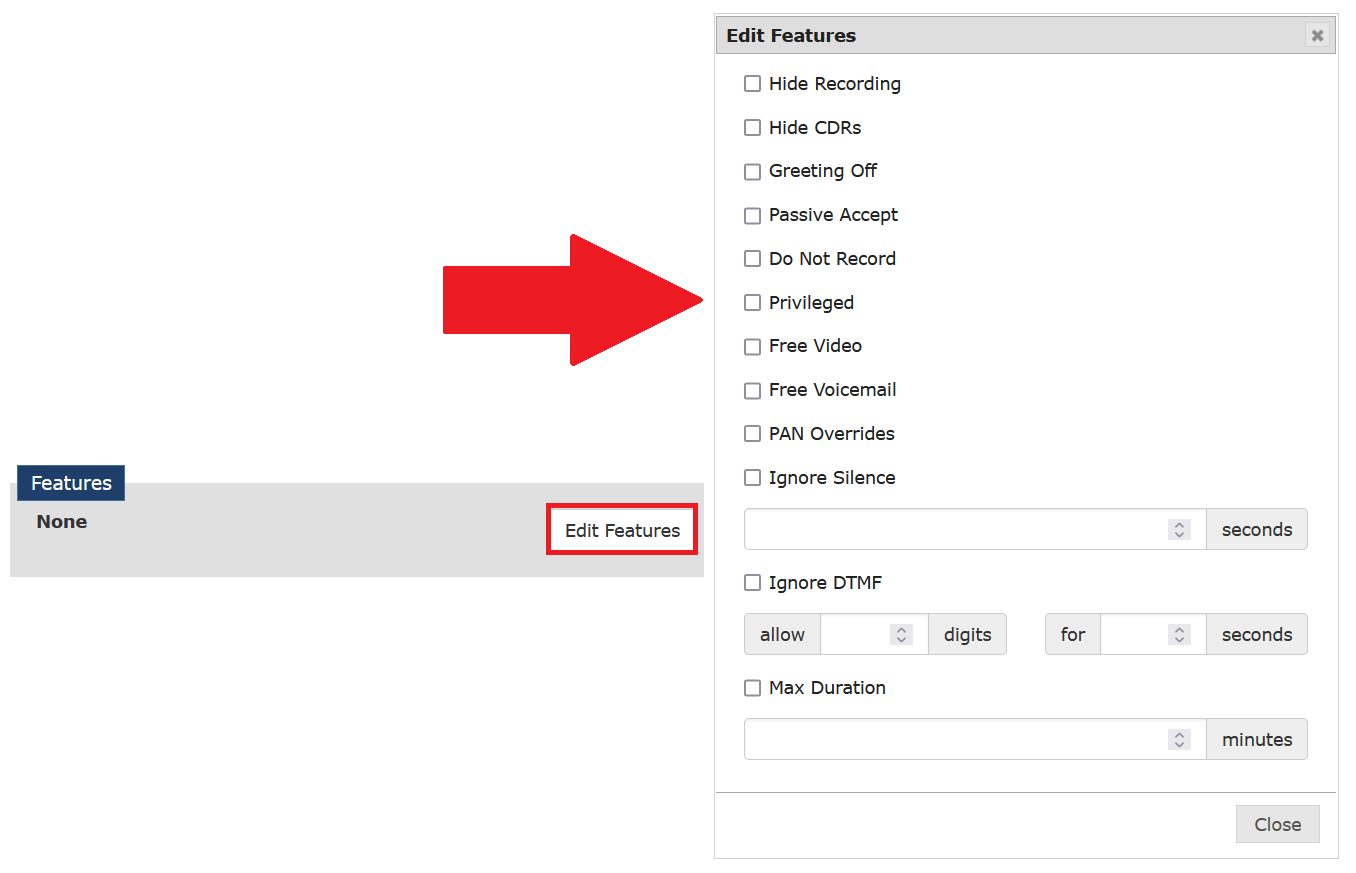
Several Features options are available to enable or disable by clicking Edit Features and then selecting or deselecting a check box, as shown in the following example. Some of the checkboxes require that you also complete a numeric entry field to define the checked option further.
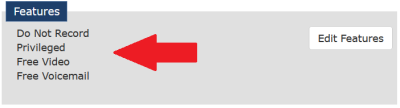
After you define one or more Features, this information is added for display in the Features dialog box, as shown in the following example.
Generally, the available Features affect how The ENFORCER® IVR handles the inmate call placed to the phone number, as well as the information that is passed from the IVR to the resulting call record. The available options are described in the following table. This table describes the effect of each Feature option selected.
Table: Edit Features – Checkboxes and Options
| Option | Description |
|---|---|
| Hide Recording | If checked, the call will be recorded even if the Do Not Record option is activated. The call recording will be hidden from The ENFORCER® users with standard, non-administrator role access. This feature is used only in a circumstance where an administrator is investigating suspected improper use of The ENFORCER®. |
| Hide CDRs | If checked, this option prevents users from viewing call records for inmate calls placed to the number, such as calls to a Snitch Line to report an incident. This setup protects the inmate’s identity, even from ENFORCER® users. Hide CDRs should always be checked for a number defined as a Snitch Line. Hide call records can be checked temporarily to allow inmates to report information to the phone number of an investigator working on a specific case or issue. |
| Greeting Off | If checked, no recorded greeting plays to the destination number. If you select this option, Passive Acceptance is checked automatically because no accept call prompt is played to the called party. Also, if you select Greeting Off, The ENFORCER® automatically changes the Call Type (billing type) to Free Call. |
| Passive Accept | If checked, the called party is not required to press a digit to accept the call. When this option is selected, a Max Duration in minutes should also be specified. Since this option is a security risk, it is normally used for answering machines or voice messages only. |
| Do Not Record | If checked, all calls to this number are not recorded. When an attorney number is added automatically to the Global Numbers library when a number is approved using the Attorney Registration function, the number is set automatically to Do Not Record and Privileged by default. Manually-entered attorney numbers may be set to Do Not Record. |
| Privileged | If checked, this option allows all inmates to call the number, such as an attorney number. If Inmate PAN lists are activated at the facility, this feature enables all inmates to call the number even if it is not on their PAN list. |
| Free Voicemail | Enables an outside caller to use the number to leave a voicemail for an inmate at no cost. A typical example of this setting would be the phone number for a public defender’s office. Use of the number in this way still requires the creation of a Prepaid Collect account at www.icsolutions.com to establish a PIN. However, no costs are incurred by the calling party to leave voice messages when this option is selected. |
| PAN Override | This option works in conjunction with the Facility block type and is used when a called party wants to be able to receive calls from one inmate only but wants to block all other callers from the facility. To enable the called party number to receive calls from a selected inmate, you must define the called party number as an Allowed call in the Inmate PAN list. If you select PAN Override, you must place a Facility block before saving your changes. |
| Ignore Silence | If checked, this option allows for long silence during a call. Use the seconds field to enter the maximum number of seconds of silence allowed. Exceeding this threshold will result in call termination. This may be a security risk because long silences frequently indicate third-party calling. |
| Ignore DTMF | If checked, this option allows the inmate to press extra digits during a call. Use the digits field to select the number of extra digits that can be dialed. Use the seconds field to enter the time the inmate has to press the extra digits. Exceeding either of these thresholds will result in a call termination. This may be a security risk because it could allow an inmate to make an unauthorized credit card payment or forward a call to a different number. |
| Max Duration | Enter the maximum allowable time duration for calls to the called party number. This value is usually defined when a call is designated as a Free Call or when the Passive Acceptance checkbox is selected. |