Number Detail
The Number Detail function is accessible by clicking Number Detail under the Global Numbers tab.
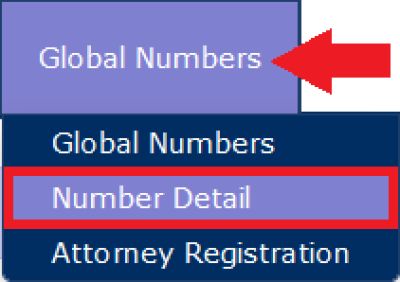
When you click Number Detail and enter a 10-digit phone number, The ENFORCER® provides a quick view of the current settings for the number in the Global Numbers library, as shown in the following example.
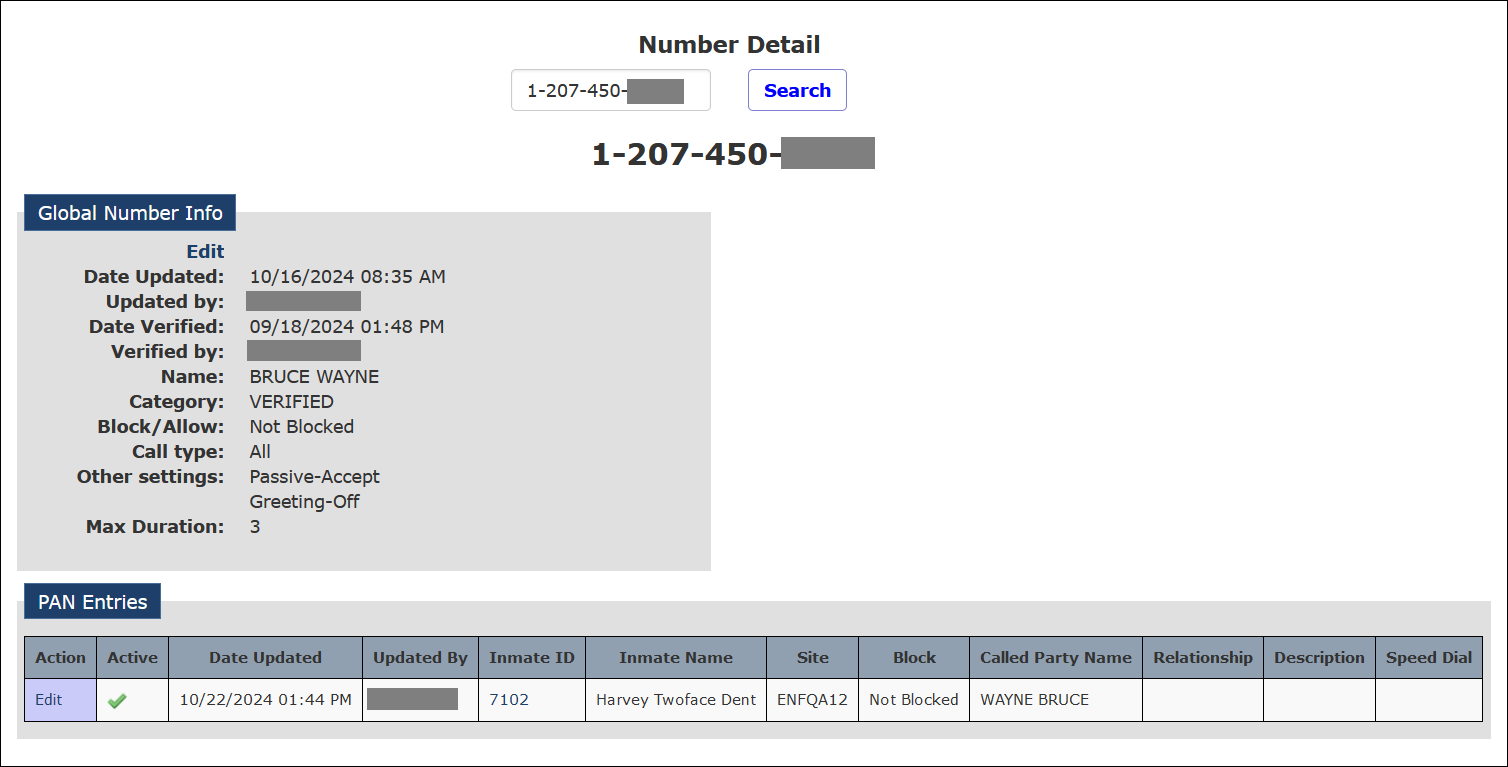
This view also shows a list of inmates with the phone number defined on their respective Inmate PAN list, as shown in the following example.

When you click Edit in the Global Number Info pane, The ENFORCER® displays the Number Detail Record for the number in the same manner as if you had accessed it using the Global Numbers menu option. You can then make any desired changes to the Number Detail Record.
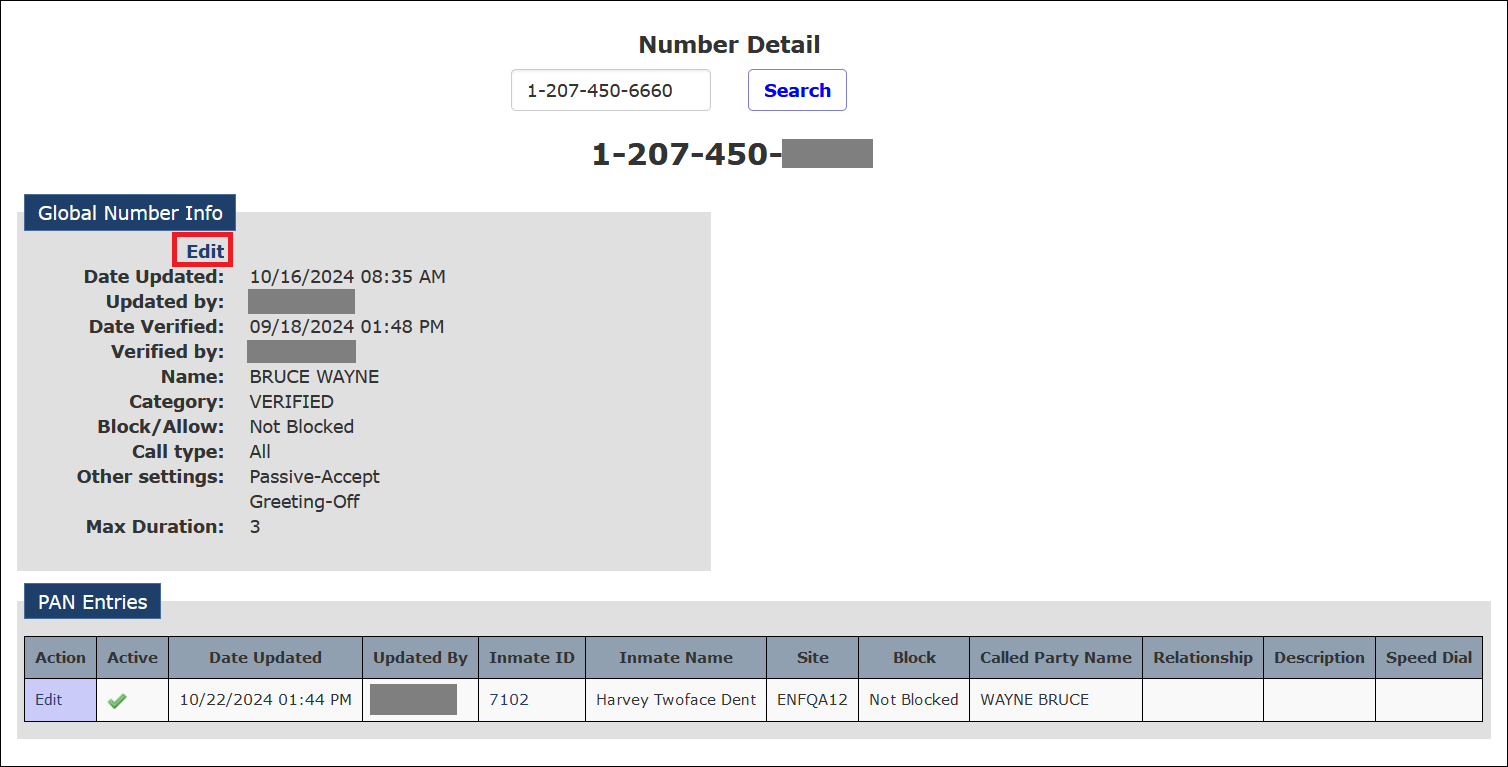
When you click Edit in the Action column in the PAN Entries list, ENFORCER® displays the PAN Edit page for that inmate. You can then make any desired changes to the list.
When you click any hyperlink in the Inmate ID column in the PAN Entries list, ENFORCER® displays the Inmate Detail page for that inmate. You can then make any desired changes to the profile.