Table of Contents
The Observer℠ Overview
The Observer℠ lets you perform several actions on live (in-progress) calls, recent calls, and the phone stations from which the calls are made. These include:
- Customizing or limiting the calls/stations you are viewing.
- Monitoring a call in progress.
- Performing security-related tasks, such as cutting off a call in progress or disabling a phone station.
- Taking a snapshot of the displayed information.
- Accessing more detailed information about a selected call.
- Adding notes for a call.
When you click the Monitor tab from the ENFORCER® main menu, the system opens The Observer℠ call monitoring page shown in the following example. While on this page, the displayed information changes dynamically based on inmate calling activity.
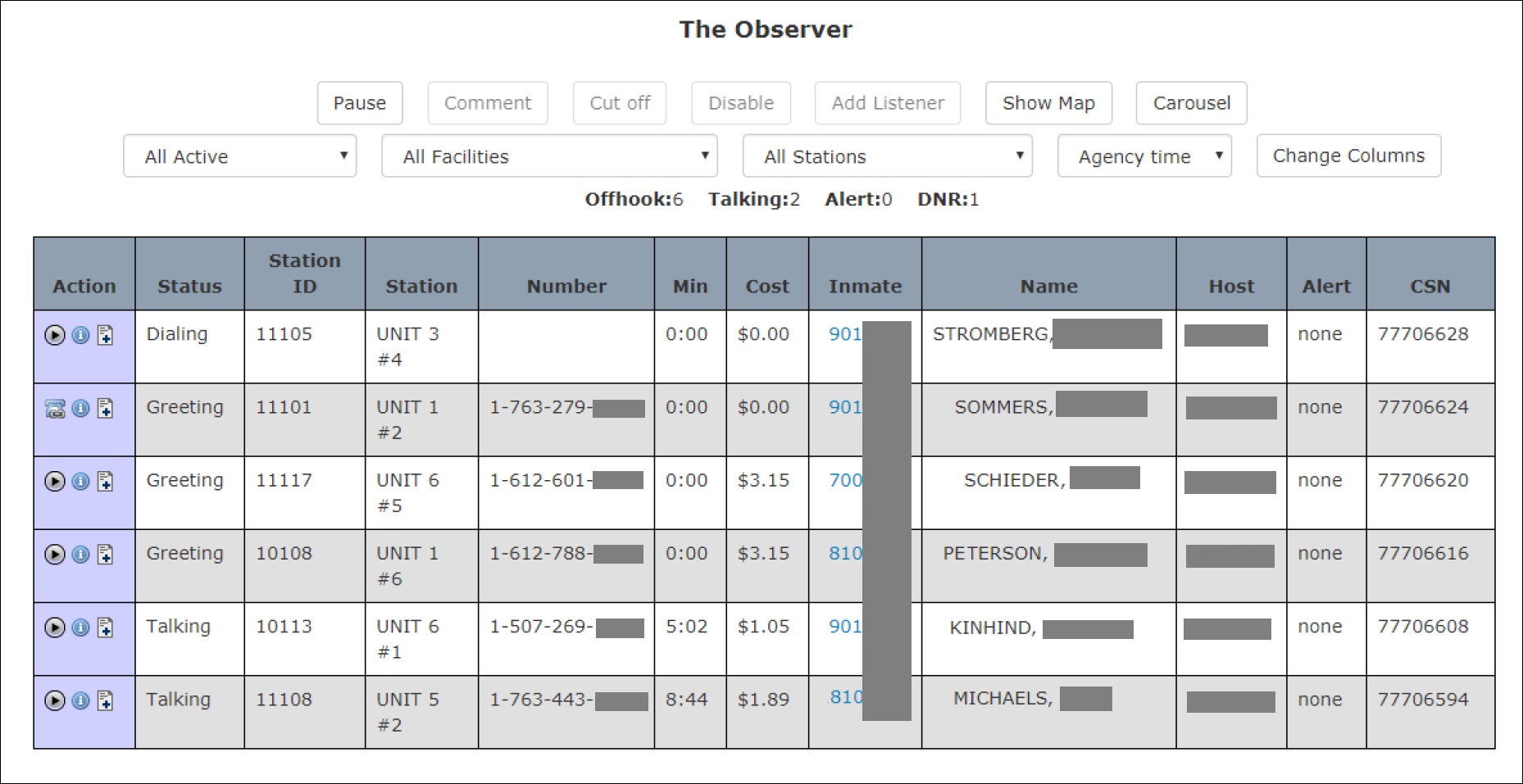
The Observer℠ Page
You can select any call or station in the Call/Station List by clicking on the row with your mouse pointer. After you select it, the row is highlighted. You can perform several actions on the call represented by the row described here.

The Observer℠ window is divided into several panes, as shown in the following example.
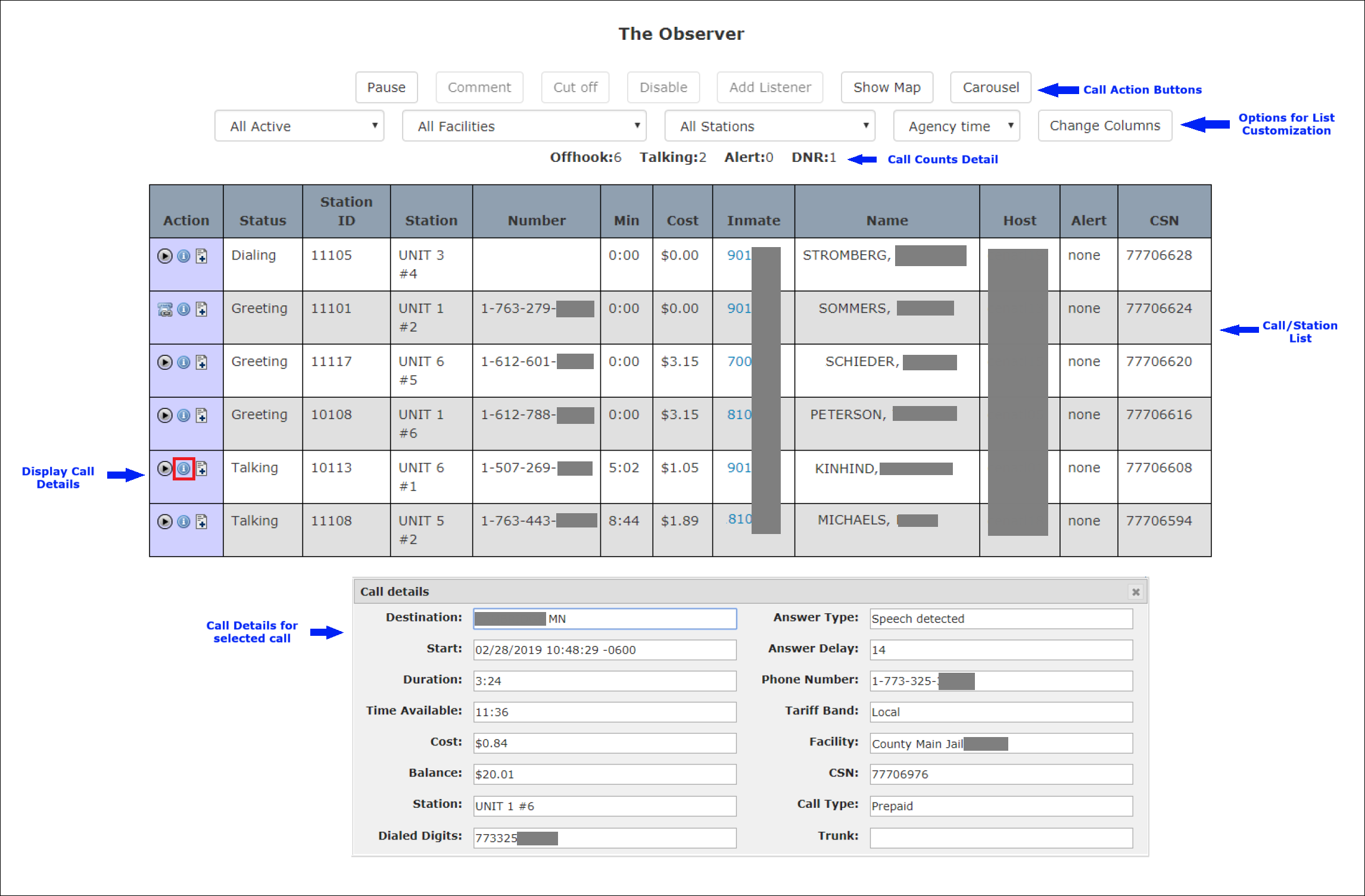
Each line of information displayed in the Call/Station List pane corresponds to a phone station set up in The ENFORCER® for inmate use. Each line details the call in progress or the most recent call on the station.